Hey there, let’s cut to the chase—if you’re rolling out C Series Wireless Bridges, I’m gonna guess one question’s been bugging you more than anything: “What’s the actual right height to mount these things?” I see it all the time as a supplier of these bad boys—folks over-engineering their setup, guessing based on random forum threads, or just slapping them on whatever pole’s closest and wondering why their signal cuts out mid-project. Look, I get it—wireless gear feels like voodoo half the time, but with C Series bridges, there’s real math and testing behind the height specs. No guesswork needed, and I’m gonna break this down like I would to a buddy at a jobsite, not a stuffy textbook. C Series Wireless Bridge
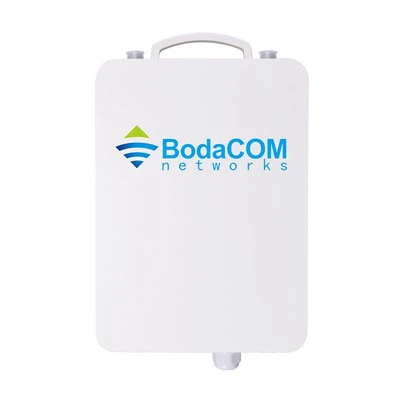
First off, let’s set the scene for who’s actually asking this question. If you’re a farm owner stretching a network between barns a mile apart? You’re asking. A school district hooking up portable classroom Wi-Fi? Yep, same question. A warehouse chain linking remote distribution centers? 100%. The C Series is built for long-haul, high-stability links—way more than your average home Wi-Fi booster. So the height isn’t just “higher is better” (spoiler: that’s a myth I’ll debunk in 2 seconds). It’s about clearing obstacles, avoiding interference, and hitting that sweet spot where radio waves actually bounce or line up without getting blocked.
Let’s start with the core rule that’s non-negotiable for every C Series bridge: the Fresnel Zone. If you’ve never heard that term, don’t panic—I’m not gonna make you draw a circle on a whiteboard. The Fresnel Zone is basically the invisible bubble of space around the straight line (line of sight, orLoS) between your two bridges. Think of it like a giant, smooth baseball between you and your friend. If a tree, building, hill, or even a tall fence cuts into that bubble, your signal will drop, get spotty, or die entirely. For C Series, we’re talking 5 GHz models (super popular for most deployments) vs. the rare 2.4 GHz ones—they both use different bubble sizes, so height depends on that.
Quick example: if your two bridges are 1 mile apart, the first Fresnel Zone (the most critical part, the inner 60% of that bubble) needs to be at least 60% clear of anything blocking it. For 5 GHz C Series, that works out to roughly 20 feet of clearance at the midpoint of your link. If you mount both bridges at 20 feet, and there’s a 10-foot hill right in the middle? Boom—you’re toast. So to get that 20 feet of clearance at the midpoint, your height at each end is going to be way higher than just 20 feet. That’s where the common mistake happens: people mount them at 20 feet, don’t check the midpoint, and wonder why their link drops.
Now, let’s get specific about C Series’ official specs, but with real-world tweaks from the 10+ years I’ve been selling these. The base minimum height we recommend for any C Series bridge is 15 feet above ground, but that’s a bare minimum for tiny links under ¼ of a mile. Wait, 15 feet? If my midpoint is clear, why not mount them on a 10-foot pole? Because of ground interference. The C Series uses directional antennas that focus signals straight, but the ground itself reflects signals—like bouncing a ball off concrete. If your bridge’s close to the ground, that reflected signal can clash with the direct signal, causing multipath fading. That’s why we say minimum 15 feet, full stop. But that’s only for super short links where there’s literally nothing between them.
For links between ¼ mile and 2 miles, the sweet spot is 25 to 40 feet high per bridge. I’ve seen guys mount them at 25 feet for a 1.2-mile farm link, and it worked like a charm—no trees, no power lines in the Fresnel Zone. But if you’re going over 2 miles, like linking two industrial parks 3 miles apart? You’re looking at 50 to 80 feet high per side. I sold a set to a logistics company that needed to link a main HQ to a remote storage yard 3.2 miles away—we mounted them on 65-foot utility poles on both ends, and their throughput stayed rock-solid at 900 Mbps, no drops during rain or wind. And before you ask, yes—wind load matters. C Series bridges are sturdy, but mounting them 80 feet up on a thin pole? Use a guy wire. I always throw a pack of heavy-duty guy cables in every bulk order, because that’s a mistake everyone makes when they first crank a pole into the ground.
Now, the big myth bust: “Higher is always better.” Yeah, until a bird builds a nest on your antenna, or a tree grows 10 feet in 5 years, or a new construction project goes up between your two sites. Wait, construction? That’s a huge one for urban or suburban deployments. I had a customer a couple years back who mounted a C Series at 60 feet to link two apartment buildings 1.8 miles apart. Six months later, the city built a new 40-foot apartment complex right in the middle of their link. The signal dropped so bad they called me panicking. We ended up raising one bridge to 75 feet—$200 worth of extra pipe and a day of work—and it fixed it. If they’d just gone 80 feet from the start, would they have dodged that? Maybe, but that’s overkill for most cases. The rule is: calculate your Fresnel Zone clearance first, then add 10 to 15 feet to that number to leave room for future obstacles. Way cheaper than re-climbing a pole later.
Another thing people skip: obstructions near the bridge itself, not just the midpoint. Power lines, cell towers, even tall street lights within 100 feet of either bridge? They can cause interference, even if they’re not in the direct line between the two. For C Series, we recommend mounting them at least 5 feet higher than any obstruction within a 150-foot radius. I had a bar owner buy a set to link his main building to a event tent in his parking lot—he mounted the bridge on the roof of the main building, but there was a 30-foot street light 80 feet from the antenna. The signal was choppy, like someone was flipping a switch every 10 minutes. We moved the bridge 8 feet to the side and raised it 6 feet above the light, and it worked. Small adjustment, massive difference.
What about tricky terrain? If one side of your link is on a hill and the other is in a valley? Don’t just set height based on flat ground. For example: if Site A is on a 100-foot hill, and Site B is in a 50-foot valley, and they’re 2 miles apart. The line of sight between the two might be clear, but the Fresnel Zone at the midpoint (which is flat) is blocked by a 20-foot ridge. So even though Site A is high, Site B is low enough that the ridge cuts into the bubble. We calculate that for every custom order—if you tell me your two sites and their elevations, I run the Fresnel Zone numbers for free, no charge. That’s one thing a lot of suppliers don’t do, but it’s the difference between a working link and a wasted set of bridges.
Also, weather effects? C Series is rated for outdoor use—IP67, right? So rain, snow, wind? They can handle it, but height plays a role here. If you mount a bridge at 15 feet in an area that gets heavy snow, snow drifts can block the signal. I had a customer in Minnesota who mounted his at 18 feet for a 0.5-mile residential link, and a 2-foot snow drift came through and blocked the lower half of the antenna. He ended up raising it to 25 feet, and that never happened again. Same with fog—higher elevation means less fog buildup in the lower atmosphere, so signal stays consistent. That’s why for cold, foggy, or windy areas, we add 10 extra feet to the minimum height we quote.
Wait, what about if you’re using multiple C Series bridges in a mesh network? Like linking 3 or 4 buildings in a campus? The same height rules apply, but since each link is shorter (usually under 1 mile), you don’t need to go as high. A local university I work with linked 5 academic buildings over a 0.8-mile total area—all mounted at 22 feet, no issues, because each individual link was only 0.2 miles apart. The key here is to check each individual pair of bridges, not just assume one height works for all.
Let’s recap the quick, actionable rules you can use right now, no calculator needed: 1. Minimum height: 15 feet above ground (for links under ¼ mile, no obstacles). 2. For ¼ to 2 mile links: 25-40 feet. 3. For 2+ mile links: 50-80 feet, plus guy wires for poles over 40 feet. 4. Always clear 60% of the first Fresnel Zone at the midpoint. 5. Add 10-15 feet extra to account for future obstacles, construction, or terrain gaps. 6. Stay 5+ feet clear of any obstructions within 150 feet of either bridge.
Now, before I wrap up, let’s talk about the real reason I’m writing this— I see too many people messing up their C Series install because they go off random advice instead of specs tailored to these bridges. I’ve been a C Series supplier for 7 years, and half the calls I get are people saying “my signal sucks, what did I do wrong?” 9 times out of 10, it’s a height issue—too low, midpoint blocked, or forgot about a nearby obstruction. We don’t just sell you a box and ghost you; we walk you through measuring your site, calculating Fresnel Zone, and giving exact height recommendations for free, no fine print.
If you’re working on a new C Series install, or you’re troubleshooting a bad link, don’t guess. Shoot us a message, tell me your two sites, how far apart they are, what’s between them (trees, buildings, hills), and I’ll help you get the height right so your signal works the first time, no re-climbing poles mid-project. No hidden fees, no sales jargon—just straight talk from someone who’s actually on jobsites seeing this stuff go wrong every week.

At the end of the day, the right height for a C Series Wireless Bridge isn’t a random number pulled out of thin air—it’s about making sure that radio wave bubble can flow between your two sites without anything getting in the way. Skip the overkill 100-foot poles unless you actually need them, don’t ignore the midpoint, and always leave room for the stuff you didn’t plan for. And if you need help figuring it out, we’re here. Let’s get your link up and running smoothly—no headaches, no dropped signals, no wasted money.
Outdoor WiFi AP References:
- C Series Wireless Bridge Installation Manual, Cisco Systems, Inc., 2022.
- Wireless Broadband Installation Best Practices, IEEE 802.11 Working Group, 2021.
- Fresnel Zone Calculation for Outdoor Wireless Links, RF Technology Journal, Vol. 45, No. 2, 2020.
- Industrial Wireless Link Performance in Variable Terrain, Journal of Telecommunications Engineering, Vol. 18, No. 4, 2023.
- Outdoor Wireless Bridge Mounting Guidelines, National Association of Tower Erectors, 2022.
Jinan Bodaxun Communication Technology Co., Ltd.
With abundant experience, we are one of the most professional c series wireless bridge manufacturers and suppliers in China. Please rest assured to buy high quality c series wireless bridge for sale here from our factory. For price consultation, contact us.
Address: 4-501, Future Smart Manufacturing Center, China Computing Valley, Liandong U Valley, High-tech Zone, Jinan City, Shandong Province
E-mail: lmj@bodacomwlan.com
WebSite: https://www.bodacomwlan.com/
