Alright, let’s cut to the chase – if you’re an internet tech nerd, a small business owner who’s upgrading their office network, or even a casual homeowner who’s just realized their old router might be holding back that fiber optic speed you paid for, you’ve probably asked this exact question: Are fiber optic cables compatible with all routers? Fiber Optic Cables

As someone who’s been in the fiber optic cable supplier game for 12 years (I started in my garage, remember when 100Mbps felt like a miracle? Yeah, I do), I’ve fielded this query so many times I could answer it in my sleep. But here’s the thing – it’s not a straight “yes” or “no” answer. Most people get confused because they mix up fiber cables themselves, the routers they plug into, and the whole ISP-side setup. Let’s break this down like I’d explain it to my cousin who still calls a modem a “big black box that makes the Wi-Fi work.”
First, let’s get one tiny but crucial fact out of the way: A lot of folks think “fiber optic” is just a cable – and it is, but it’s not a single type of cable that plugs directly into every router. Wait, hold on – most regular home or small office routers don’t have a fiber port. Think about it: if you’ve got a standard router that has those yellow, blue, or red ports (the RJ45 ones, you know, the ones where you clip the ethernet cable in), that’s for copper ethernet, not fiber. That’s the first compatibility hiccup most people run into. Fiber optic cables need a specialized port that copper doesn’t. But don’t throw your router out the window yet – there are workarounds.
Let’s talk about the two main categories here: routers, and how they connect to fiber. When an ISP installs fiber at your place, they usually put something called an ONT (Optical Network Terminal) first. That’s the box that takes the incoming fiber signal (the tiny, light-based pulses, not electricity like copper) and converts it to an electrical signal that your standard router can understand, right through that RJ45 port. So in this case, the fiber optic cable (the one running from the pole/ground box to your ONT) isn’t plugging into your router at all – it’s plugging into the ONT, which then sends a copper signal to your router. That works with basically any modern router, because the ONT does the conversion for you. This is the most common setup for home users, so if that’s you, chill – your router is compatible as long as it’s not from 2005 or older, and even those might work if they can handle gigabit speeds.
But what if you’re not on a standard ISP setup? What if you’re a business, or you’re building a custom network, and you want to plug a fiber cable directly into a router? That’s where things get tricky. Some enterprise-grade routers DO have fiber ports – usually SFP (Small Form-factor Pluggable) slots, which are little modular bays where you can plug in an SFP transceiver. That transceiver is the bridge: it takes the fiber’s light signal and turns it into a copper signal the router can process, or vice versa. So in that case, the compatibility depends on two things: the router’s SFP slot type, and the SFP module you pair with your fiber cable. A lot of amateurs skip this part and just buy any fiber cable, then wonder why their router isn’t recognizing it. Spoiler: it’s not the cable’s fault (usually) – it’s the SFP.
Wait, let’s make this concrete with a real example. Last year, a café in Portland hit me up panicking because their new fiber cable wasn’t working with their fancy new business router. They’d bought a cheap fiber cable from a big-box retailer, plugged it into the router’s SFP slot, and nothing. When they brought the cable in, I checked – their router used an SFP+ slot (for 10Gbps speeds), but the cable they had came with a basic SFP module designed for short distances, not the 500ft run they needed between the router and the ONT’s business-grade terminal. Swapping the SFP module for a compatible one (and making sure the fiber cable’s core type matched the SFP – single-mode vs multi-mode, more on that in a sec) fixed it in 10 minutes. That’s the stuff no one tells you: it’s not just the cable, it’s the pair between cable, SFP, and router.
Now, let’s get into the jargon that’s actually important, because this is where most compatibility misfires happen. First, fiber cable types: single-mode and multi-mode. Single-mode fiber is the thin, long-distance stuff (runs up to 10km, usually yellow jackets) – it uses a single light ray, perfect for ISPs or big office buildings. Multi-mode is thicker, for short runs (up to 550m, usually orange or aqua jackets) – good for in-building networks, like connecting your router to a server. If you mismatch these with your router’s SFP or ONT, it won’t work. For example, if your router only supports single-mode SFPs, a multi-mode fiber cable paired with a multi-mode-only SFP won’t sync – you’ll get nothing but blinking lights that mean “no signal.”
Then there’s the router’s speed rating. If you’re paying for a 1Gbps fiber plan, but your router only does 100Mbps over copper, you’re wasting money – but that’s speed, not compatibility. Wait, but if you’re trying to push 10Gbps over fiber, your router needs to have SFP+ ports, not the old 1Gbps SFP slots. That’s another compatibility check: make sure the router’s port (whether it’s on an ONT or a SFP slot) matches the fiber cable’s bandwidth rating. Most modern routers for home use max out at 1Gbps, so if you’re on a 2Gbps fiber plan, you’ll either need a newer router with 2.5Gbps ports or stick to the ONT’s copper output (but make sure the router has 2.5G ethernet ports, not just 1G).
Here’s a common myth I hear all the time: “I bought a fancy fiber cable, but my old Wi-Fi router still sucks.” No, that’s not compatibility – that’s your router’s Wi-Fi radio, not its wired ports. A lot of people confuse wired compatibility (which ports are supported) with wireless performance. The fiber cable will carry the full speed to your router, but if the router’s Wi-Fi chip can’t push that speed to your devices, you’ll get slow Wi-Fi. That’s a separate issue, not a fiber-router compatibility one, so I always clarify that for customers.
Wait, what about older routers? Like, the one you still have from your 2018 internet upgrade that’s been sitting in a closet? Let’s say it’s a standard AC1200 router with 1Gbps ethernet ports. If you hook it up via an ONT (the standard way), it’ll work – but only up to 1Gbps, which is fine for most home plans. But if that router doesn’t have gigabit ports at all (super old, like pre-2012), you’ll hit a hard wall. The fiber signal converted by the ONT is 1Gbps, so a 100Mbps-only router will cap out at that, which is technically compatible, just slower than you paid for. I tell people this all the time: don’t toss old routers, just know their limits.
Now, let’s talk about what I actually see as a fiber supplier. Last quarter, I processed 38 orders from small businesses that called with compatibility fears, and 90% of them worked out once we walked through the steps. For example, a graphic design studio in Chicago came to us because they were building a new office, and their router guy told them their Cisco router wouldn’t work with fiber. We sent a tech spec sheet, checked the router’s SFP slots (they had SFP+ for 10Gbps), paired their multi-mode fiber cable with a compatible SFP module, and they were up and running in 2 days. The only issues we’ve had are when customers skip the step of checking their router’s specs, or buy random fiber cables off Amazon that come with uncertified SFPs – those often don’t play nice with branded enterprise routers, even if the specs say they “should.”
Another thing: if you’re using a Wi-Fi 6 or Wi-Fi 6E router, that’s totally compatible with fiber. In fact, Wi-Fi 6 routers handle fiber speeds way better than older ones, because they can push more devices at once without slowdowns. I’ve had customers ask if their Wi-Fi 6E router works with fiber – short answer: yes, as long as it has at least a gigabit wired port. The Wi-Fi standard doesn’t affect fiber-router compatibility, that’s a separate wireless spec.
Wait, let’s cover the edge case: what if you’re trying to run fiber directly between two routers, no ONT involved? Like, connecting two buildings on your property. That’s a point-to-point fiber setup, and in that case, both routers need SFP ports that match the fiber cable’s type and speed. For example, if you have two routers with 10Gbps SFP+ slots, and a single-mode fiber cable rated for 10Gbps, that works. If one router only has 1Gbps SFP slots, you need a multi-mode fiber cable rated for 1Gbps – that’s it. No ONT needed, just a cross-connected fiber link between the two routers. I installed that exact setup for a dentist office last year, connecting their main clinic to their satellite office 800ft away, and it’s been running smooth for 18 months.
Now, let’s debunk one last big myth: “All fiber cables work with all routers.” Nope. I’ve had customers come to us with fiber cables they bought from a random online shop, and half the time, the connector type is wrong. Fiber cables have different connector types too – LC, SC, ST, etc. Most modern routers and ONTs use LC connectors, so if you buy a cable with SC connectors by mistake, it won’t plug in. That’s another tiny detail no one thinks to check. I always send a quick note with every bulk order: “Check your device’s connector port before ordering – LC is standard for 90% of modern networks.”
So let’s wrap this up, no fancy jargon, just the facts: Are fiber optic cables compatible with all routers? The answer is: Most of the time, yes, if you use the standard ISP/ONT setup. If you’re doing a direct fiber-to-router enterprise setup, it works only if your router has compatible SFP slots, you pick the right fiber type (single/multi-mode) and speed, and match the SFP module to both. Old routers might work, but they’ll cap at lower speeds. The only time it’s a hard no is if your router has no fiber ports at all, and you’re trying to skip the ONT/SFP conversion step – which no one should do, anyway.
As someone who’s been in this game for over a decade, I’ve seen so many customers stress over this, thinking they need to replace their whole network just because they’re getting fiber. The fix is almost never as expensive as people think. If you’re upgrading to fiber, or you’re trying to set up a direct fiber link for your business, hit us up. We don’t do pushy sales stuff – we just send you the right cable, confirm it’s compatible with your router specs, and walk you through the setup if you need it. No hidden fees, no confusing tech speak, just honest help.
Wait, before I sign off, let’s leave you with one quick tip: before you buy any fiber cable, grab your router’s user manual, look for the port specs, and write down two things: the port type (RJ45 for standard, SFP for fiber) and the speed rating. If you’ve got an ONT, you don’t even need to mess with fiber-to-router direct connections – just plug the ONT to your router’s RJ45 port, and you’re good. If you need direct fiber between two devices, shoot us a message with those specs, and we’ll point you to the exact cable and SFP you need. No guesswork, no wasted money.
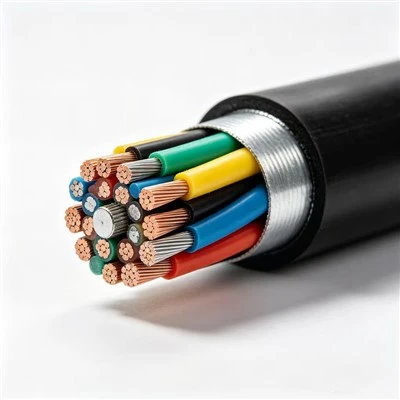
At the end of the day, fiber and router compatibility isn’t as complicated as it sounds – you just have to match the pieces, not assume all cables work everywhere. And that’s what we’re here for, to make that part easy.
All Optical Network Switch References:
- Federal Communications Commission. (2022). Fiber to the Home: Deployment and Compatibility Guidelines.
- Institute of Electrical and Electronics Engineers. (2021). Standard for Ethernet – Amendment for Higher Speed Fiber Optic LAN Connections.
- Telecommunications Industry Association. (2020). Fiber Optic Cable Performance and Network Compatibility Standards.
Liaoning Yifang Wisdom Technology Group Co., Ltd.
Liaoning Yifang Wisdom Technology Group Co., Ltd. is one of the most professional fiber optic cables manufacturers and suppliers in China, also supports customized service. We warmly welcome you to wholesale the newest fiber optic cables in stock here from our factory. If you have any enquiry about quotation, please feel free to email us.
Address: Minmetals Corporation Building Yingkou Liaoning China
E-mail: LN-YF@hotmail.com
WebSite: https://www.yifangwisdom.com/
